To upgrade your AMYboard, please use a browser that supports WebSerial:
- Google Chrome (desktop)
- Microsoft Edge (desktop)
- Chromium-based browsers with WebSerial enabled
Here you can upgrade the firmware on your AMYboard using a USB connection right from your browser.
See AMYboard Getting Started
for other options for upgrading your firmware.
To upgrade your AMYboard from this web page:
To upgrade your AMYboard from this web page:
- Connect your AMYboard to your device over USB.
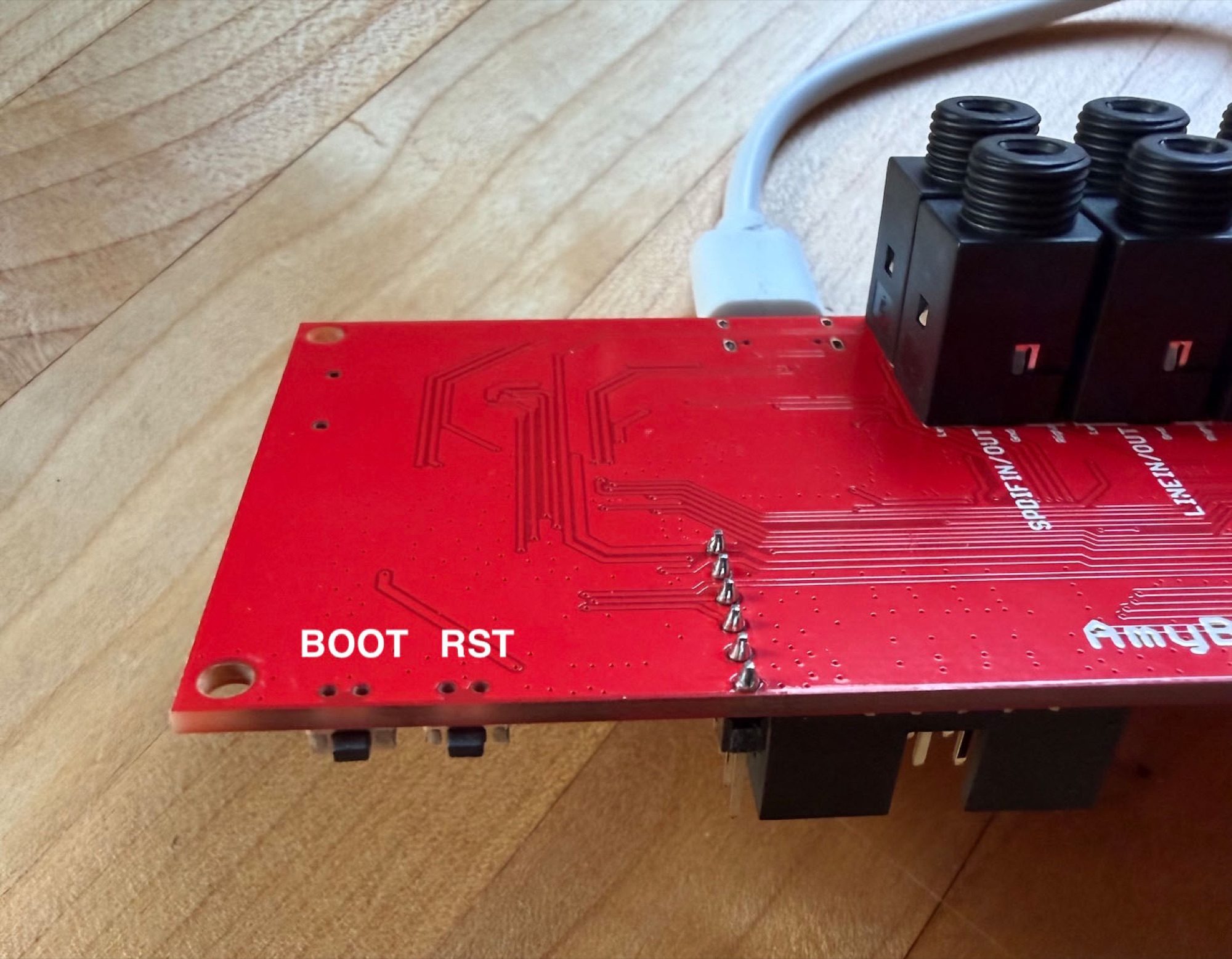
- Hold down both buttons on the side, then let go of RST, then let go of BOOT.
See button locations:
- Click the Search for AMYboard button below and choose the device that says USB/JTAG when the window pops up, then Connect
- Choose to either:
- Upgrade AMYboard firmware. Your stored data should be safe.
- Fully erase and re-flash AMYboard. This will remove any stored patches or environments. (Your SD card is safe.) Will also update the drum and percussion samples.
- Wait a minute until the progress bar disappears. Hit RST. Your AMYboard should be updated!
- Now fully quit and reopen your browser (close all of its windows, not just this tab) before going back to the editor — don't just reload the page. Especially on Windows, browsers won't detect the AMYboard's USB MIDI ports until they're restarted.
Will also update the drum and percussion samples